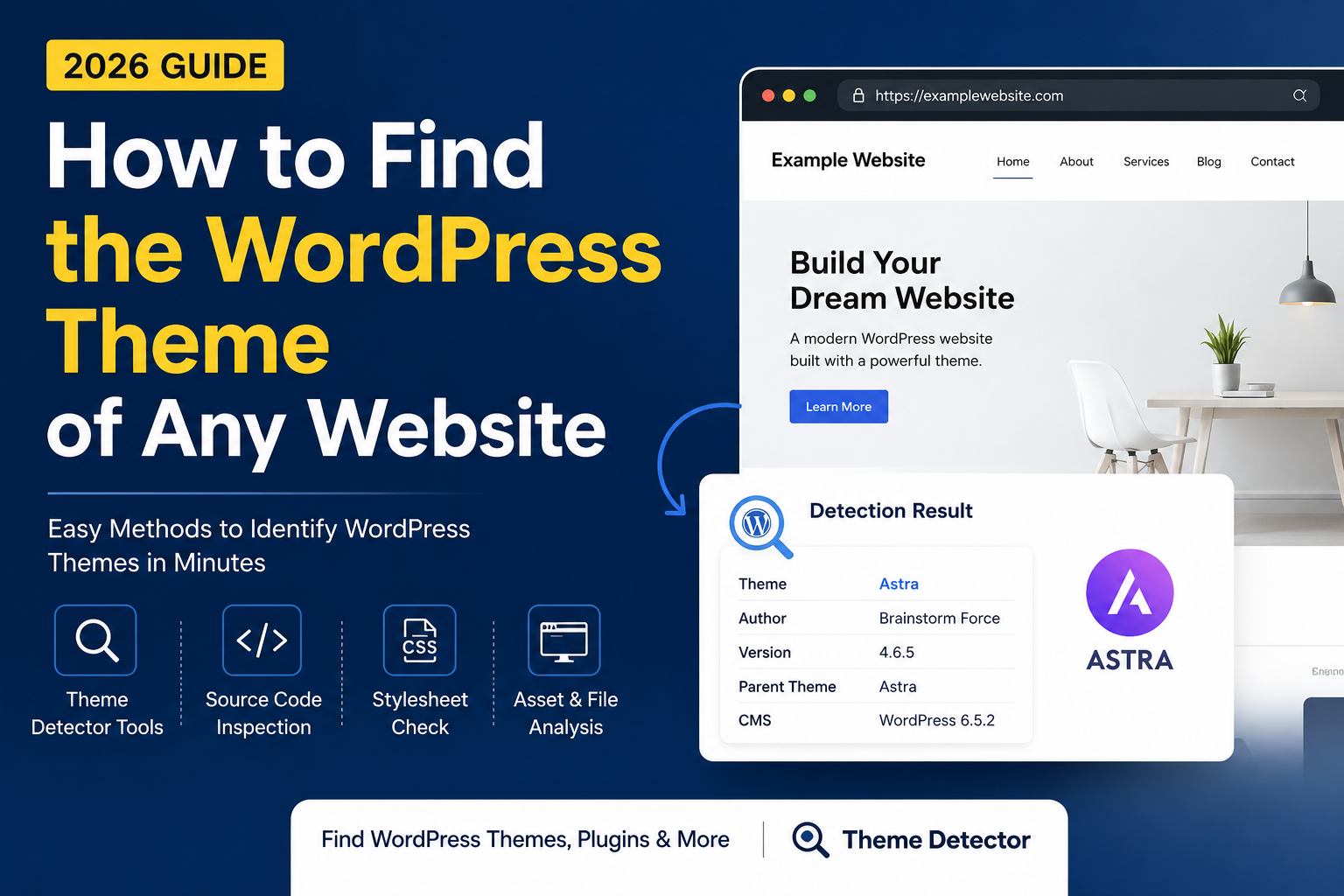
How to Find the WordPress Theme of Any Website (Complete Guide)
Quick Answer
If you want to find the WordPress theme used by a website, the fastest method is to inspect its publicly available source code for the wp-content/themes/ directory or use a website analysis tool such as ThemeDetectorTool.com. In many cases, you can identify the active theme, parent theme, and other technologies in less than a minute without logging into the website or accessing any private information.
Key Takeaways
- WordPress themes can often be identified using publicly available HTML and CSS files.
- The easiest manual method is searching the page source for wp-content/themes/.
- Browser Developer Tools provide additional technical insights.
- Website analysis tools can automatically detect themes, CMS platforms, plugins, JavaScript libraries, and other technologies.
- Not every website exposes complete theme information. Custom themes, headless WordPress setups, and security configurations can limit what is detectable.
Table of Contents
- What Is a WordPress Theme?
- Why Do People Want to Find a Website's Theme?
- How WordPress Theme Detection Works
- Method 1 — View Page Source
- Method 2 — Browser Developer Tools
- Method 3 — Use ThemeDetectorTool.com
- Method 4 — Inspect the Theme Stylesheet
- Method 5 — Check Theme Metadata
- Method 6 — Browser Extensions
- Method 7 — Visual Analysis
- Common Detection Challenges
- Frequently Asked Questions
- Final Thoughts
Introduction
Have you ever visited a website and wondered,
"What WordPress theme is this website using?"
Whether you're a web designer looking for inspiration, a developer researching competitors, a digital marketer evaluating successful websites, or a business owner planning a redesign, identifying the theme behind a website can provide valuable insights.
Fortunately, WordPress makes parts of this process possible because many themes load publicly accessible assets such as stylesheets, JavaScript files, fonts, and images. By examining these resources—or by using a dedicated website analysis tool—you can often determine which theme powers a website.
However, theme detection is not always straightforward. Some websites use custom-built themes, child themes, or advanced optimization techniques that intentionally reduce the amount of publicly exposed information. Understanding these limitations is just as important as knowing the detection methods themselves.
In this guide, you'll learn seven practical ways to identify a WordPress theme, understand how theme detection works behind the scenes, recognize situations where detection may not be possible, and discover best practices for analyzing websites accurately and responsibly.
Rather than relying on guesswork, you'll gain a clear understanding of what can—and cannot—be determined from publicly available website resources.
Why This Guide Is Different
Most articles simply tell you to install a browser extension or use an online detector. While those methods can be useful, they rarely explain why they work, what information is being analyzed, or why some websites cannot be identified.
This guide takes a broader approach. Instead of focusing on a single tool, you'll learn:
- The fundamentals of WordPress theme architecture.
- How browsers retrieve publicly available theme assets.
- The strengths and limitations of each detection method.
- When automated tools are more effective than manual inspection.
- How to interpret detection results accurately.
By the end of this guide, you'll have a deeper understanding of WordPress theme detection—not just the steps to follow, but the underlying concepts that make those steps possible.
What Is a WordPress Theme?
At its core, a WordPress theme is a collection of files that controls how a WordPress website looks and feels. It defines the website's visual presentation—including layout, typography, colors, navigation, page templates, widget areas, and other design elements—without changing the website's core content.
Think of WordPress as the engine of a car.
The theme is the body, paint, seats, dashboard, and overall appearance, while the content (posts, pages, images, and products) remains the same regardless of which theme you activate.
This separation between content and presentation is one of WordPress's greatest strengths. It allows website owners to redesign their site without rewriting their content.
What Does a WordPress Theme Include?
A standard WordPress theme typically contains several files that work together to create the website's appearance.
| File | Purpose |
|---|---|
| style.css | Theme information and CSS styles |
| functions.php | Adds theme features and functionality |
| index.php | Default template |
| header.php | Website header |
| footer.php | Website footer |
| sidebar.php | Sidebar layout |
| single.php | Individual blog posts |
| page.php | Static pages |
| archive.php | Archive pages |
| screenshot.png | Theme preview image |
These files follow WordPress theme development standards, making themes portable and customizable.
Where Are WordPress Themes Stored?
Every WordPress installation stores themes inside the same directory:
| /wp-content/themes/ |
Example:
| https://example.com/wp-content/themes/astra/ |
or
| https://example.com/wp-content/themes/generatepress/ |
This predictable directory structure is one of the main reasons theme detection is possible. When a browser loads a WordPress page, it often requests CSS, JavaScript, fonts, and images from this directory. Those publicly accessible requests leave recognizable fingerprints that theme detection tools can analyze.
Parent Theme vs Child Theme
Many beginners think a website uses only one theme.
In reality, professional WordPress websites often use two themes:
- Parent Theme
- Child Theme
Parent Theme
The parent theme contains the complete functionality, templates, and design framework.
Examples include:
- Astra
- GeneratePress
- Kadence
- Blocksy
- OceanWP
Child Theme
A child theme inherits everything from its parent theme while allowing developers to customize layouts, styles, or functions without modifying the original theme files.
For example:
Parent Theme: Child Theme: |
Using a child theme ensures that updates to the parent theme do not overwrite customizations.
Why Child Themes Matter for Theme Detection
Suppose you inspect a website and find:
| /wp-content/themes/company-theme/ |
At first glance, you might assume the website uses a completely custom theme.
However, when you inspect the child theme's style.css, you may discover:
css Template: astra |
This tells you:
- Visible Theme → company-theme
- Actual Parent Theme → Astra
Professional theme detectors try to identify both whenever possible.
What About Custom Themes?
Not every WordPress website uses a commercial theme.
Large companies, government organizations, SaaS businesses, and digital agencies often develop custom themes.
Example:
| /wp-content/themes/acme-corporate/ |
or
| /brand-theme-v3/ |
These themes may:
- Never be sold publicly
- Have no documentation
- Contain unique templates
- Be impossible to identify beyond their folder name
In such cases, a theme detector can only report what is publicly visible.
How Theme Detection Actually Works
Many people believe a detector somehow "breaks into" a website.
That is not how it works.
A browser already downloads everything needed to display a webpage:
- HTML
- CSS
- JavaScript
- Fonts
- Images
A theme detector simply analyzes those publicly available resources.
Typical clues include:
- wp-content/themes/
- style.css
- Theme metadata
- HTML classes
- CSS selectors
- JavaScript asset paths
- Theme-specific fingerprints
No passwords, admin access, or server credentials are required.
Can Every Theme Be Detected?
No.
Detection depends entirely on the information a website exposes publicly.
Detection becomes difficult when websites use:
- Custom-built themes
- Headless WordPress
- Aggressive optimization
- Asset rewriting
- CDN transformations
- Security plugins
- Hidden stylesheet metadata
A good detector reports only what it can verify instead of making assumptions.
Why This Matters
Understanding how themes are structured helps you interpret detection results correctly.
For example, if a detector reports:
Theme: Astra
that doesn't necessarily mean the website looks like the default Astra demo.
The owner may have:
- Customized every template
- Used Elementor
- Added custom CSS
- Built custom headers
- Replaced page layouts
In other words:
A theme provides the foundation—but the final website depends on how it's customized.
Key Takeaways
- A WordPress theme controls a website's appearance, not its content.
- Themes are usually stored in the /wp-content/themes/ directory.
- Parent and child themes serve different purposes.
- Theme detection relies on publicly accessible files such as HTML and CSS.
- Custom or heavily optimized websites may reveal only limited information.
- Reliable theme detectors analyze multiple public signals instead of relying on a single clue.
Method 1 — Check the Page Source (The Fastest Manual Method)
If you're comfortable inspecting a webpage's source code, this is one of the quickest ways to identify a WordPress theme.
Every browser downloads the HTML needed to display a webpage. If the site uses WordPress and doesn't hide its assets, the source code often includes references to the active theme.
Step 1 — Open the Website
Visit the website you want to analyze.
Example:
| https://example.com |
Step 2 — View the Page Source
In most browsers:
- Windows/Linux: Ctrl + U
- Mac: ⌘ + Option + U
Or simply right-click the page and choose View Page Source.
A new tab will open displaying the raw HTML.
Step 3 — Search for the Theme Folder
Press:
- Windows: Ctrl + F
- Mac: ⌘ + F
Search for:
| wp-content/themes/ |
If you see something like:
| href="https://example.com/wp-content/themes/astra/style.css"> |
then the active theme is:
Astra
Example
| wp-content/themes/generatepress/style.css |
Result:
Theme: GeneratePress
What if You See Multiple Theme Names?
Sometimes you'll find:
wp-content/themes/astra/ wp-content/themes/company-child/ |
This usually means:
- Parent Theme → Astra
- Child Theme → company-child
Always check both before drawing conclusions.
Advantages
✅ Free
✅ No tools required
✅ Very accurate
Limitations
❌ Doesn't work if the website hides theme assets.
❌ Requires basic technical knowledge.
Expert Tip
Search not only for:
| wp-content/themes/ |
Also search:
| style.css |
or
| themes/ |
Sometimes optimized websites load styles differently.
Method 2 — Use Browser Developer Tools
Modern browsers include Developer Tools that allow you to inspect every resource loaded by a webpage.
Unlike page source, Developer Tools show resources after JavaScript has finished loading, making them useful for dynamic websites.
Step 1
Open the website.
Press:
F12
or
Ctrl + Shift + I
Step 2
Open the Network tab.
Refresh the page.
Step 3
Filter requests by typing:
themes
You'll often see requests like:
https://example.com/wp-content/themes/blocksy/style.css
Step 4
Click the stylesheet.
Sometimes the CSS header contains:
Theme Name:
Author:
Version:
License:
This gives you additional information beyond the theme name.
Why Developer Tools Are Better
Developer Tools also reveal:
- CSS Files
- JavaScript Files
- Fonts
- Images
- API Requests
- CDN Resources
This makes them valuable when analyzing a website's broader technology stack.
Method 3 — Use ThemeDetectorTool.com (Recommended)
For most users, using an automated detector is the simplest approach.
Instead of manually inspecting HTML, CSS, and JavaScript files, ThemeDetectorTool.com analyzes publicly available website resources and presents the results in an easy-to-read report.
How to Use ThemeDetectorTool
Step 1
Open
Step 2
Paste the website URL.
Example:
https://example.com
Step 3
Click
Detect Theme
Step 4
Wait a few seconds while the website is analyzed.
Step 5
Review the report.
Depending on what the website publicly exposes, the report may include:
- Theme Name
- CMS
- Parent Theme
- Theme Version (when detectable)
- Theme Author (when detectable)
- Plugins
- JavaScript Libraries
- CSS Frameworks
- Analytics Tools
- CDN Provider
- Security Headers
- Website Technologies
Why Use an Online Detector?
Manual inspection is educational, but it becomes time-consuming if you analyze many websites.
An online detector automates repetitive tasks and presents the available information in one place.
This is especially useful for:
- Web designers researching layouts
- Developers reviewing implementation choices
- SEO professionals auditing competitors
- Agencies evaluating client websites
- Business owners comparing website technologies
Important Note
No detector can identify information that a website does not expose publicly.
If a website uses:
- Custom-built themes
- Headless WordPress
- Obfuscated assets
- Aggressive caching
- Security hardening
the detector can only report what is publicly available.
A trustworthy tool should avoid guessing and clearly distinguish between confirmed detections and unavailable information.
Comparison
| Method | Ease of Use | Speed | Technical Knowledge |
|---|---|---|---|
| View Page Source | Medium | ⭐⭐⭐⭐ | Medium |
| Developer Tools | Medium | ⭐⭐⭐ | Medium |
| ThemeDetectorTool | Easy | ⭐⭐⭐⭐⭐ | None |
Key Takeaways
- Viewing the page source is the quickest manual method.
- Browser Developer Tools provide a deeper look at loaded resources.
- ThemeDetectorTool.com simplifies the process by analyzing multiple public signals and presenting them in a structured report.
- Reliable detection depends on the information that a website makes publicly accessible.
Method 4 — Inspect the Theme Stylesheet (style.css)
Every WordPress theme contains a file called style.css. Besides CSS rules, this file includes a standardized header with metadata such as the theme name, author, version, description, and license. This metadata is one of the most reliable public sources for identifying a WordPress theme.
If you already know the theme folder (for example, astra), you can often access:
https://example.com/wp-content/themes/astra/style.css
If direct access is allowed, you'll see a header similar to:
/*
Theme Name: Astra
Theme URI: https://wpastra.com/
Author: Brainstorm Force
Version: 4.8.1
Description: Fast, lightweight and highly customizable WordPress theme.
*/
Why This Method Is Reliable
Unlike guessing from a website's appearance, the metadata comes directly from the theme files. If the server allows public access, this information is generally accurate.
Limitations
- Some websites block direct access to style.css.
- Custom themes may use internal names that aren't publicly recognized.
- Some developers remove or minimize metadata for security or privacy reasons.
Method 5 — Identify Theme Metadata
Once you've located the theme's stylesheet, don't stop at the theme name. The metadata often reveals valuable details.
Look for:
- Theme Name
- Theme URI
- Author
- Author URI
- Version
- Description
- License
- Text Domain
Example:
Theme Name: GeneratePress
Author: Tom Usborne
Version: 3.5.0
Text Domain: generatepress
Why Version Information Matters
Knowing the version can help you:
- Understand whether the website is using the latest release.
- Check compatibility with plugins.
- Compare features introduced in newer versions.
- Identify outdated installations during audits.
Remember, if the stylesheet isn't publicly accessible, this information may not be available.
Method 6 — Browser Extensions
Several browser extensions can detect website technologies while you browse.
Examples include:
- Wappalyzer
- BuiltWith
- Similar technology-detection extensions
These tools often detect:
- CMS
- JavaScript frameworks
- Analytics services
- CDNs
- Marketing tools
Some can also identify WordPress themes if enough public fingerprints are available.
Advantages
- One-click analysis.
- No need to inspect HTML manually.
- Useful for quickly checking multiple websites.
Limitations
- Results depend on the extension's fingerprint database.
- New or custom themes may not be recognized.
- Some extensions focus more on technology stacks than theme detection.
Method 7 — Visual Analysis
Sometimes no technical method reveals the theme.
In these situations, experienced developers use visual analysis.
Look for clues such as:
- Header layout
- Navigation style
- Footer structure
- Blog layout
- Sidebar placement
- Typography
- Button styles
- WooCommerce product pages
- Demo content patterns
For example, many popular themes have recognizable design patterns:
- Astra
- Kadence
- Blocksy
- GeneratePress
- OceanWP
However, visual analysis is only an educated guess. Modern page builders and custom CSS can completely change a theme's appearance, making visual identification unreliable on its own.
Why Some Websites Cannot Be Detected
One of the biggest misconceptions is that every WordPress website can be identified.
The reality is different.
Detection depends entirely on what the website exposes publicly.
Common reasons detection fails include:
Custom Themes
Many agencies build themes specifically for a client. The theme may use a unique folder name with no public documentation.
Child Themes
A child theme can hide the identity of the parent theme if only limited information is exposed.
Asset Optimization
Performance plugins may combine or rename CSS and JavaScript files, making standard paths harder to identify.
CDN Rewriting
Some CDN configurations serve assets from different locations, removing recognizable theme paths.
Security Plugins
Security-focused plugins can remove version numbers, generator tags, or other metadata.
Headless WordPress
In headless setups, WordPress serves content through an API while the front end is built with frameworks such as React or Next.js. In these cases, almost no WordPress-specific fingerprints may appear in the page source.
Best Practices for Theme Detection
To improve accuracy:
- Confirm the website is actually using WordPress.
- Start with the page source.
- Use Developer Tools if needed.
- Check the stylesheet when accessible.
- Compare results across multiple methods.
- Use an automated detector for efficiency.
- Accept that some websites intentionally expose very little information.
Common Mistakes
Avoid these common errors:
- Assuming every website uses WordPress.
- Confusing a page builder with a theme.
- Relying only on visual appearance.
- Ignoring child themes.
- Treating theme detection results as absolute when public information is incomplete.
Expert Insight
The goal of theme detection isn't simply to discover a theme name. It's to understand how a website is built.
A complete website analysis often includes:
- CMS
- Theme
- Plugins
- Frameworks
- Analytics
- CDN
- Security technologies
- Performance indicators
Looking at these technologies together provides a much more accurate picture than focusing on the theme alone.
Key Takeaways
- The style.css file often contains the most reliable theme metadata.
- Browser extensions are convenient but not always comprehensive.
- Visual analysis can support technical findings but should not replace them.
- Not every website reveals enough information for complete identification.
- Reliable tools report only what they can verify from publicly available resources.
Frequently Asked Questions (FAQ)
1. Can I detect the WordPress theme of any website?
Not always. Theme detection relies on information that a website makes publicly available. If a site uses a custom theme, aggressive optimization, or hides its assets, only limited information may be detectable.
2. Is it legal to detect a website's WordPress theme?
Yes. Theme detection analyzes publicly accessible resources such as HTML, CSS, and JavaScript files. It does not require logging into the website or accessing private information.
3. Can I identify WordPress plugins as well?
In many cases, yes. Publicly accessible plugin assets, HTML markup, CSS classes, and JavaScript files may indicate which plugins are in use. However, hidden or custom plugins cannot always be identified.
4. What if the website uses a custom theme?
A detector may only identify the custom theme's folder name or determine that the theme cannot be confidently identified. Custom-built themes often do not have publicly available documentation.
5. Does a child theme hide the parent theme?
Not necessarily. If the child theme references the parent theme in its metadata, the parent theme can often be identified. However, this depends on what information is publicly available.
6. Why can't some websites be detected?
Common reasons include:
- Custom-built themes
- Headless WordPress
- Asset optimization
- CDN rewriting
- Security plugins
- Removed stylesheet metadata
7. Are online theme detectors always accurate?
No. A reliable detector should report only what it can verify from public resources. Detection accuracy varies depending on how a website is built and configured.
8. What's the difference between a theme and a page builder?
A theme controls the overall design and layout of a WordPress site, while a page builder (such as Elementor) allows users to create custom page layouts within that theme.
9. Can I detect a Shopify theme using the same methods?
No. Shopify has a different architecture. While some public clues may exist, Shopify theme detection relies on different fingerprints than WordPress.
10. Can caching or a CDN affect detection?
Yes. Content Delivery Networks (CDNs) and caching systems may rename, combine, or serve assets differently, making theme detection more challenging.
11. Do browser extensions detect themes more accurately than online tools?
Not necessarily. Browser extensions and online tools use different fingerprint databases and detection methods. Using multiple approaches can improve confidence in the results.
12. Is ThemeDetectorTool free to use?
ThemeDetectorTool offers free analysis of publicly detectable website technologies. Features and capabilities may evolve over time as the platform expands.
13. Can I use theme detection for competitor research?
Yes. Understanding a competitor's publicly visible technology stack can help you learn about design approaches, CMS platforms, and website technologies. Always use the information responsibly and respect intellectual property.
14. Will theme detection reveal private information?
No. Theme detection is limited to publicly available resources that any visitor's browser can access. It does not bypass security measures or expose confidential data.
15. Which method is best for beginners?
For beginners, using a website analysis tool such as ThemeDetectorTool is usually the quickest and easiest option. As your technical skills grow, manual methods like inspecting page source and using browser developer tools can provide deeper insights.
Comparison of Theme Detection Methods
| Method | Difficulty | Speed | Accuracy* | Best For |
|---|---|---|---|---|
| View Page Source | Easy | Fast | High | Beginners |
| Developer Tools | Medium | Medium | High | Developers |
| Theme Stylesheet | Medium | Medium | High | Technical users |
| Browser Extensions | Easy | Very Fast | Medium | Quick checks |
| ThemeDetectorTool | Very Easy | Very Fast | High (publicly detectable data) | Most users |
| Visual Analysis | Medium | Slow | Low–Medium | Supporting evidence |
*Accuracy depends on the information a website exposes publicly.
Pros and Cons
Advantages of Theme Detection
- Learn from well-designed websites.
- Research competitors responsibly.
- Discover themes and technologies for inspiration.
- Save time during website analysis.
- Better understand how modern websites are built.
Limitations
- Custom themes may not be identifiable.
- Some websites intentionally hide theme information.
- Detection is limited to public resources.
- Results may vary depending on optimization techniques.
Final Thoughts
Identifying the WordPress theme behind a website is often easier than many people expect, but it also has clear limitations.
The most reliable approach is to combine multiple methods:
- Inspect the page source.
- Use browser developer tools.
- Review the theme stylesheet when available.
- Verify findings with a trusted website analysis tool.
Remember that a theme is only one part of a website's technology stack. Modern websites also rely on plugins, frameworks, analytics platforms, CDNs, security technologies, and performance optimizations.
If your goal is to understand how a website is built, looking beyond the theme provides a much more complete picture.
Call to Action
Want a faster way to analyze a website?
Instead of manually inspecting HTML, CSS, and JavaScript files, you can use ThemeDetectorTool.com to analyze publicly detectable website technologies, including:
- WordPress themes
- CMS platforms
- Plugins
- JavaScript libraries
- CSS frameworks
- Analytics tools
- CDN providers
- Security technologies
Simply enter a website URL and review the available detection results in seconds.