What CMS Does This Website Use? (Complete Guide)
Quick Answer
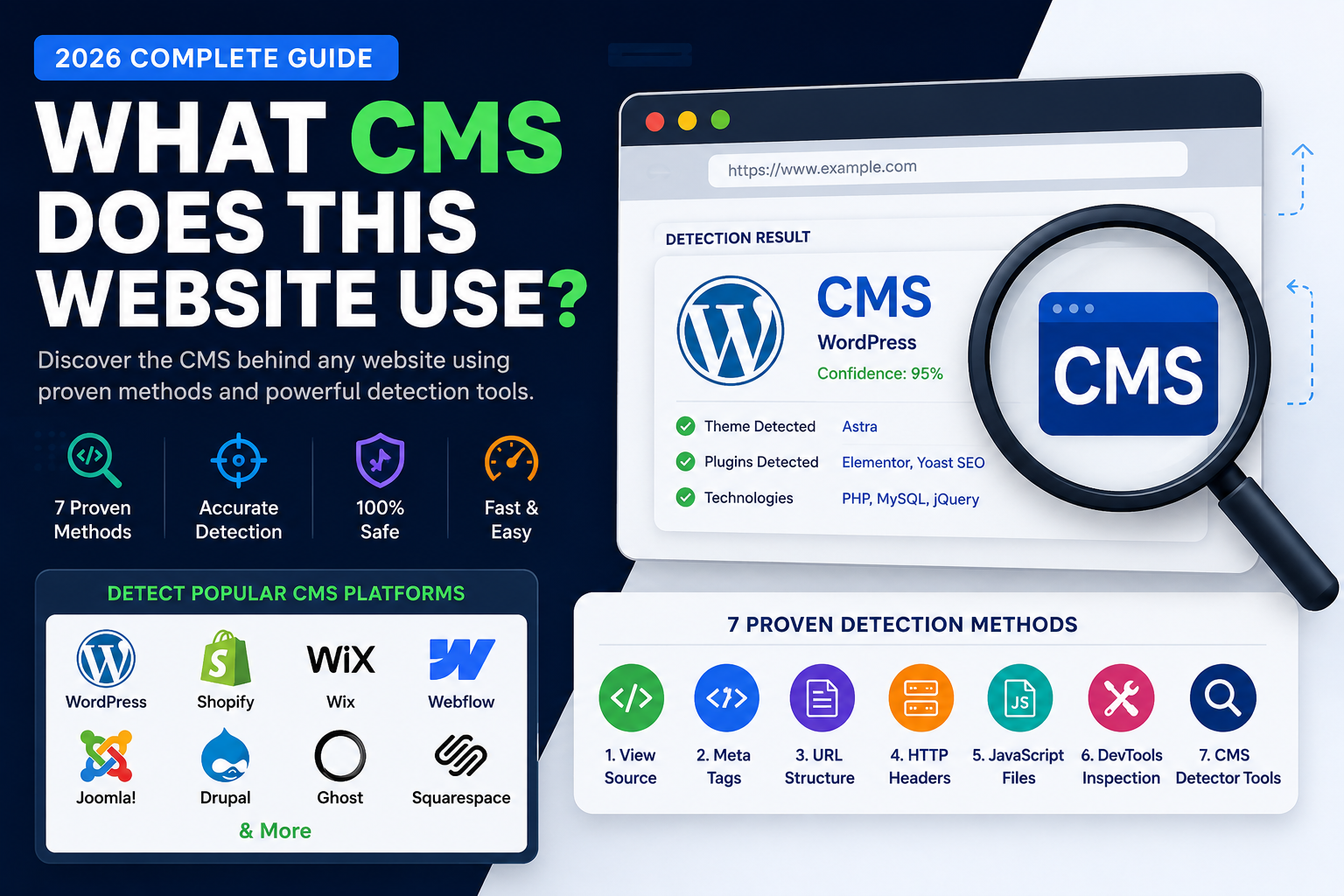
The fastest way to determine what CMS a website uses is by analyzing its publicly available HTML, CSS, JavaScript, metadata, and technology fingerprints. In many cases, you can identify platforms such as WordPress, Shopify, Wix, Webflow, Joomla, Drupal, or Ghost in just a few seconds using manual inspection or a CMS detection tool.
Key Takeaways
✅ Learn how CMS detection works
✅ Identify WordPress, Shopify, Wix and more
✅ Manual detection methods
✅ Browser inspection techniques
✅ CMS detection tools
✅ Common detection limitations
Table of Contents
- What is a CMS?
- Why Detect a Website's CMS?
- How CMS Detection Works
- Method 1 – View Source
- Method 2 – HTTP Headers
- Method 3 – Meta Generator
- Method 4 – HTML Structure
- Method 5 – CMS Detection Tools
- Common Detection Challenges
- FAQs
- Final Thoughts
Introduction
Have you ever wondered how a website was built?
Before choosing a website platform, researching competitors, or learning web development, one of the first questions people ask is:
"What CMS does this website use?"
A Content Management System (CMS) provides the tools needed to create, manage, and publish website content without building every page from scratch.
Today, millions of websites rely on platforms such as WordPress, Shopify, Wix, Webflow, Joomla, Drupal, Ghost, and many others.
Fortunately, websites often expose small technical clues that make CMS detection possible.
In this guide, you'll learn multiple proven techniques to identify a website's CMS, understand why they work, recognize their limitations, and choose the best method for different situations.
By the end of this article, you'll be able to analyze websites with greater confidence while understanding what information can—and cannot—be determined from publicly available resources.
What Is a CMS?
A Content Management System (CMS) is software that allows individuals and organizations to create, manage, edit, and publish website content without writing every page from scratch.
Instead of manually creating HTML, CSS, and JavaScript files for each page, a CMS provides an easy-to-use interface where users can publish articles, upload images, manage menus, and customize website layouts.
Think of a CMS as the operating system for a website. Just as Windows or macOS helps you manage a computer, a CMS helps you manage a website.
Whether you're running a personal blog, an online store, a company website, or a news portal, a CMS simplifies content management while allowing developers to extend functionality through themes, plugins, and integrations.
Why Do People Want to Detect a Website's CMS?
Understanding which CMS powers a website can be useful for many reasons.
Web Developers
Developers often analyze websites to understand the technologies behind successful projects. Identifying the CMS helps them estimate development workflows, available customization options, and compatibility with themes or plugins.
Designers
Designers may want to know whether a website uses WordPress, Shopify, or another platform before recommending themes, templates, or design improvements.
SEO Professionals
SEO specialists frequently review competitors' websites to understand the technologies they use. Knowing the CMS can help explain how metadata, structured data, or technical SEO features are implemented.
Digital Agencies
Agencies often analyze client websites before proposing redesigns or migrations. Identifying the current CMS helps estimate project complexity and recommend the most appropriate platform.
Business Owners
Before investing in a new website, many business owners want to understand which platform successful competitors are using and whether it fits their own needs.
The Most Popular CMS Platforms
Modern websites use many different content management systems.
Below are some of the most widely used platforms.
WordPress
WordPress is the world's most widely used CMS and powers everything from personal blogs to enterprise websites.
Key characteristics include:
- Themes
- Plugins
- Gutenberg Editor
- WooCommerce
- Large developer community
Common public fingerprints:
/wp-content/ /wp-includes/ /wp-json/
Shopify
Shopify is a hosted eCommerce platform designed for online stores.
Typical fingerprints include:
- Shopify CDN assets
- Shopify JavaScript objects
- Shopify checkout URLs
- Liquid templates
Best suited for:
- Online stores
- Retail brands
- Product catalogs
Wix
Wix is a cloud-based website builder focused on ease of use.
Typical indicators include:
- Wix static assets
- Wix-specific JavaScript
- Wix CDN resources
Best suited for:
- Small businesses
- Portfolios
- Local services
Webflow
Webflow combines visual website design with modern front-end development.
Common clues include:
- webflow.io assets
- Webflow JavaScript
- Designer-generated HTML
Popular among:
- Agencies
- Designers
- SaaS companies
Joomla
Joomla is an open-source CMS often used for business websites and portals.
Typical fingerprints:
/media/ /templates/ /administrator/
Drupal
Drupal is widely used by governments, universities, and enterprise organizations.
Public clues may include:
/sites/default/ Drupal.settings
Ghost
Ghost is a modern publishing platform focused on blogs, newsletters, and memberships.
Common indicators:
- Ghost API endpoints
- Ghost JavaScript assets
- Ghost metadata
Squarespace
Squarespace is an all-in-one website builder popular with creatives and small businesses.
Indicators may include:
- Squarespace CDN
- Static assets
- Built-in templates
How CMS Detection Works
Many people assume that CMS detection tools somehow access private website information.
They do not.
Instead, they analyze publicly available resources that every visitor's browser downloads.
Examples include:
- HTML source code
- CSS files
- JavaScript files
- Meta tags
- HTTP headers
- API endpoints
- Directory structures
- Public asset URLs
Each CMS leaves behind recognizable fingerprints.
For example:
WordPress often loads assets from:
/wp-content/
while Shopify commonly references:
cdn.shopify.com
These publicly visible patterns allow CMS detection tools to identify the platform without accessing any private data.
Can Every CMS Be Detected?
No.
Detection depends entirely on what a website exposes publicly.
Some websites intentionally hide their technology stack by:
- Removing generator tags
- Rewriting asset URLs
- Using reverse proxies
- Serving content through a CDN
- Building custom front ends
- Adopting a headless architecture
In these cases, a detector can only report information that is verifiable from publicly accessible resources.
Key Takeaways
- A CMS makes website management easier by separating content from presentation.
- Different CMS platforms leave different public fingerprints.
- CMS detection relies on publicly available HTML, CSS, JavaScript, metadata, and asset URLs.
- WordPress, Shopify, Wix, Webflow, Joomla, Drupal, Ghost, and Squarespace each have unique detection patterns.
- Reliable CMS detectors report only what they can verify rather than making assumptions.
7 Proven Ways to Detect What CMS a Website Uses
There isn't a single method that works for every website. Modern websites often use performance optimizations, CDNs, security plugins, or headless architectures that hide some technical details.
For the most reliable results, combine multiple detection methods.
Method 1 — Check the Page Source
The easiest manual method is to inspect the page source.
Step 1
Visit the website.
Example:
https://example.com
Step 2
Open the page source.
- Windows: Ctrl + U
- Mac: ⌘ + Option + U
Step 3
Search for common CMS fingerprints.
Examples:
WordPress
/wp-content/ /wp-includes/ /wp-json/
Shopify
cdn.shopify.com Shopify.theme
Webflow
webflow
Wix
static.wixstatic.com
If one or more of these fingerprints appear, you can often identify the CMS with high confidence.
Method 2 — Look for Meta Generator Tags
Many CMS platforms include a generator meta tag.
Example:
or
Although many websites remove this tag for security or branding reasons, it remains a quick way to identify some CMS platforms.
Method 3 — Inspect Common URL Patterns
Every CMS has recognizable directory structures.
WordPress
/wp-content/ /wp-admin/ /wp-includes/
Joomla
/media/ /templates/
Drupal
/sites/default/
Ghost
/ghost/
Shopify
/cart /products /collections
Directory structures often provide valuable clues even when other identifiers are hidden.
Method 4 — Check HTTP Headers
HTTP response headers sometimes reveal useful information.
Examples include:
- Server
- X-Powered-By
- Cache provider
- CDN
- Security headers
Some websites expose CMS-related details through these headers, although many modern hosting providers intentionally hide them.
You can inspect headers using:
- Browser Developer Tools
- Command-line utilities
- Online header checkers
Method 5 — Inspect JavaScript Files
Modern CMS platforms load unique JavaScript resources.
Examples include:
WordPress
wp-emoji-release.min.js
Shopify
Shopify.theme
Webflow
webflow.js
These files often act as technology fingerprints.
Method 6 — Use ThemeDetectorTool
If you don't want to manually inspect HTML, CSS, JavaScript, or headers, an automated detector can save time.
ThemeDetectorTool analyzes publicly accessible website resources and presents a structured report.
Depending on what the website exposes publicly, it may identify:
- CMS
- Theme
- Plugins
- JavaScript Libraries
- CSS Frameworks
- Analytics
- CDN
- Security Technologies
This approach is particularly useful when reviewing multiple websites or conducting competitor research.
Method 7 — Cross-Check Results
Professional analysts rarely rely on a single detection method.
Instead, they compare results from multiple sources.
Example workflow:
✅ Page Source
↓
✅ Developer Tools
↓
✅ HTTP Headers
↓
✅ ThemeDetectorTool
↓
✅ Manual Verification
If multiple methods point to the same CMS, confidence in the result increases significantly.
Detection Accuracy
| Method | Accuracy | Difficulty | Speed |
|---|---|---|---|
| Page Source | High | Easy | Fast |
| Meta Generator | Medium | Easy | Very Fast |
| URL Structure | High | Easy | Fast |
| HTTP Headers | Medium | Medium | Medium |
| JavaScript Analysis | High | Medium | Medium |
| ThemeDetectorTool | High* | Very Easy | Very Fast |
| Multiple Methods | Very High | Medium | Medium |
*Accuracy depends on the publicly available information exposed by the website.
Common Detection Challenges
Even the best CMS detector cannot identify technologies that are intentionally hidden.
Common reasons include:
- Custom-built CMS
- Headless architecture
- Reverse proxies
- Asset optimization
- CDN rewriting
- Removed metadata
- Security plugins
In these situations, the most reliable approach is to report only what can be verified rather than making assumptions.
Pro Tip
Treat CMS detection as a process of gathering evidence rather than finding a single clue.
One fingerprint might be misleading, but several independent indicators often provide a much more reliable conclusion.
Best CMS Detector Tools (2026 Comparison)
Choosing the right CMS detector depends on what you're trying to accomplish. Some tools specialize in identifying content management systems, while others provide a broader view of a website's technology stack.
Below is a comparison of some of the most well-known CMS detection tools available today.
1. ThemeDetectorTool
Overview
ThemeDetectorTool is designed to analyze publicly detectable website technologies from a single URL. In addition to identifying CMS platforms, it aims to detect themes, plugins, JavaScript libraries, CSS frameworks, analytics tools, CDN providers, and other technologies that help explain how a website is built.
Best Features
- CMS Detection
- Theme Detection
- Plugin Detection
- JavaScript Library Detection
- CSS Framework Detection
- Analytics Detection
- CDN Detection
- Security Technology Analysis
Best For
- Developers
- SEO Professionals
- Agencies
- Website Owners
- Digital Marketers
2. Wappalyzer
Wappalyzer is one of the most popular technology profiling tools.
Rather than focusing solely on CMS platforms, it identifies hundreds of technologies including:
- CMS
- JavaScript Frameworks
- Analytics
- Marketing Tools
- Hosting Providers
- Payment Platforms
Strengths
- Large technology database
- Browser extension
- Developer friendly
Limitations
Theme detection is not its primary focus.
3. BuiltWith
BuiltWith provides enterprise-level technology intelligence.
It is widely used by:
- Sales Teams
- Marketing Agencies
- Investors
- Market Researchers
It offers detailed reports covering technologies, hosting, analytics, advertising, eCommerce, and historical data.
Strengths
- Comprehensive reports
- Enterprise features
- Historical technology tracking
Limitations
Many advanced features require a paid subscription.
4. WhatCMS
WhatCMS specializes in identifying content management systems.
Supported platforms include:
- WordPress
- Joomla
- Drupal
- Shopify
- Magento
- Ghost
- Wix
- Squarespace
Best For
Users who only need CMS identification without additional technology analysis.
5. IsItWP
IsItWP focuses specifically on WordPress.
It answers one simple question:
"Is this website running WordPress?"
If possible, it also identifies the active WordPress theme.
Strengths
- Very easy to use
- Beginner friendly
- Fast results
Limitations
Limited support for non-WordPress websites.
CMS Detector Comparison Table
| Tool | CMS Detection | Theme Detection | Plugin Detection | Technology Detection | Best For |
|---|---|---|---|---|---|
| ThemeDetectorTool | ✅ | ✅ | ✅ | ✅ | Complete Website Analysis |
| Wappalyzer | ✅ | Limited | ❌ | ✅ | Technology Stack |
| BuiltWith | ✅ | Limited | Limited | ✅ | Enterprise Research |
| WhatCMS | ✅ | ❌ | ❌ | Limited | CMS Identification |
| IsItWP | WordPress Only | ✅ | Limited | ❌ | WordPress Beginners |
How We Evaluated These Tools
To make this comparison as useful as possible, we considered several practical criteria rather than focusing on marketing claims.
Detection Accuracy
Can the tool correctly identify the CMS when sufficient public information is available?
Ease of Use
Can a beginner analyze a website without technical knowledge?
Speed
How quickly does the tool generate results?
Technology Coverage
Does it detect only the CMS, or does it also identify themes, plugins, frameworks, analytics platforms, and other technologies?
Transparency
Does the tool clearly distinguish between confirmed detections and assumptions?
Which CMS Detector Is Right for You?
Choose ThemeDetectorTool if you want an all-in-one website analysis experience.
Choose WhatCMS if you only need CMS identification.
Choose IsItWP if you work exclusively with WordPress websites.
Choose Wappalyzer if your focus is broader technology stack analysis.
Choose BuiltWith if you need enterprise-level technology intelligence and historical reporting.
Remember that no detector can identify information that a website does not expose publicly. For the best results, combine automated detection with manual verification when necessary.
Expert Tip
Professional developers rarely rely on a single tool.
Instead, they compare results from multiple sources, inspect page source code, review HTTP headers, and use browser developer tools to confirm findings.
A combination of methods almost always produces more reliable results than relying on one detector alone.
Key Takeaways
- Different CMS detectors are designed for different purposes.
- Some tools specialize in WordPress, while others support multiple CMS platforms.
- Technology detection offers a broader understanding than CMS detection alone.
- Comparing results from multiple methods improves confidence.
- Reliable tools report only what can be verified from publicly available information.
Frequently Asked Questions (FAQ)
1. What is a CMS?
A Content Management System (CMS) is software that helps users create, edit, organize, and publish website content without manually coding every page. Popular CMS platforms include WordPress, Shopify, Joomla, Drupal, Wix, Webflow, Ghost, and Squarespace.
2. How can I find out what CMS a website uses?
You can inspect the website's HTML source code, look for meta generator tags, analyze common URL structures, check HTTP headers, or use a CMS detection tool such as ThemeDetectorTool to analyze publicly available technology fingerprints.
3. Can every CMS be detected?
No. Detection depends on the publicly available information a website exposes. Custom-built platforms, headless CMS implementations, and optimized websites may hide important identifiers.
4. Is CMS detection legal?
Yes. CMS detection analyzes publicly accessible resources that every visitor's browser downloads. It does not require login credentials or unauthorized access.
5. What's the difference between a CMS and a website builder?
A CMS focuses on managing content, while a website builder combines content management with visual design tools. Some platforms, such as Wix and Squarespace, function as both.
6. Can I detect WordPress plugins?
Often, yes. Public asset paths, CSS classes, JavaScript files, and HTML structures may reveal installed plugins. However, custom or hidden plugins may not be detectable.
7. Why do different CMS detectors produce different results?
Each tool uses different fingerprint databases and detection techniques. One tool may recognize technologies that another does not.
8. Can a website hide its CMS?
Yes. Developers can remove generator tags, rewrite asset URLs, use reverse proxies, or adopt headless architectures to reduce publicly visible CMS fingerprints.
9. Which CMS is the most commonly used?
WordPress is widely recognized as one of the most popular CMS platforms, powering millions of websites worldwide. Other popular options include Shopify, Wix, Webflow, Drupal, Joomla, and Ghost.
10. Should I trust one CMS detector?
For important research, it's best to compare results from multiple methods and verify findings manually whenever possible.
11. What information can a CMS detector reveal?
Depending on the website, a detector may identify:
- CMS platform
- Theme
- Plugins
- JavaScript libraries
- CSS frameworks
- Analytics tools
- CDN providers
- Other publicly detectable technologies
12. Do CMS detectors access private data?
No. They only analyze publicly available information that any visitor can access through a web browser.
Final Thoughts
Understanding which CMS powers a website can provide valuable insights into its design, functionality, and development approach.
While no single detection method is perfect, combining multiple techniques—such as source code inspection, HTTP header analysis, browser developer tools, and dedicated CMS detection platforms—offers the most reliable results.
It's also important to remember that modern websites are much more than their CMS. Themes, plugins, frameworks, analytics platforms, security technologies, and performance optimizations all contribute to the final website experience.
Rather than focusing only on identifying the CMS, try to understand the complete technology stack. This broader perspective is especially valuable for developers, agencies, SEO professionals, and business owners.
Call to Action
Want to identify the CMS behind a website in seconds?
Use ThemeDetectorTool.com to analyze publicly detectable website technologies, including:
- CMS platforms
- WordPress themes
- Shopify themes
- Plugins
- JavaScript libraries
- CSS frameworks
- Analytics tools
- CDN providers
- Security technologies
Simply enter a website URL and review the available results in one easy-to-read report.